

SpySerp


Open a project, add the phrases you care about, and let SpySerp do the legwork. Import keywords from a CSV or paste them in, tag them by theme, and select the locales and device types you want to monitor. Choose the search engines that matter to your audience and set an update cadence—hourly, daily, or weekly. The dashboard will surface current placements, movement since last check, and share‑of‑voice across engines. Use filters to isolate terms that slipped, new entries to page one, or ideas stuck below the fold. Set alerts so you get an email or Slack ping the moment a valuable query drops, then jump straight to the affected landing page.
To map the landscape, run a results snapshot for any term set. SpySerp compiles the top pages for each query, highlights domains that consistently win, and compares them to yours side‑by‑side. Save rival sites to a watchlist and see which URLs they rank with, how often they appear in rich elements (maps, snippets, videos), and what changed since the previous crawl. Sort by volatility to spot battles you can win quickly, or by authority gaps to plan link building. Drill into a single competitor to see overlapping keywords, unique opportunities, and the pages you should consolidate or expand.
If you manage local or multi‑market SEO, switch the view to a specific city or region and compare mobile vs desktop. You’ll see which pages underperform on phones, which terms only rank in certain areas, and where a small tweak—title, internal links, load speed—could unlock quick lifts. Use the on‑page and audit tools to catch blocked resources, thin metadata, or broken links, then retest to validate fixes. Connect Google Analytics to tie ranking wins to sessions, conversions, and revenue so stakeholders see the payoff.
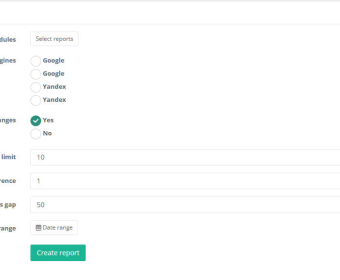
For content planning, group keywords by intent and stage, export briefs that include competing titles and SERP features, and track drafts through publication with tags. Run simple split tests on meta elements or templates, compare outcomes, and keep the winner. When it’s time to report, pick a date range, add widgets for average rank, traffic from improved terms, and competitor movements, then export to PDF or CSV or share a live link. Role‑based access makes it easy to loop in writers, developers, and clients without exposing settings.
Free
Free
TOP Analysis
Keywords Grouping
Projects: 2
Domains/project: 3
Search Engines/project: 2
Keywords Lookups: 1000
Pro 20k
$11.04 per month
Data Export
Support
Includes features of Free plan, plus
Projects: 500
Domains/project: 1000
Search Engines/project: 100
Keywords Lookups: 20000 - $0.69 per 1000
Enterprise
Others
Projects: Unlimited
Domains/project: Unlimited
Search Engines/project: Unlimited
Keywords Lookups: 1000000+


Comments